Local Services Ads eligibility and leads
How do Google Local Services Ads work?
Local Services Ads connect eligible service businesses with people looking for help. Check the services, locations, lead charges, and response process in your account.

Are the leads right for your business?
- 01Service fit
- 02Lead quality
- 03Your response
Local Services Ads basics
What you need to know
Start with what the tool does, when to use it, and the first thing to check.
- 01Plain answer
- Local Services Ads show above many search results and charge for leads instead of clicks, but they still need tight setup, fast follow-up, and review strength.
- 02Best for
- Review charged and credited leads, use the available feedback process, and check current rules for the account's region and category. A poor-fit inquiry isn't automatically refundable.
- 03First move
- Check your service categories, service areas, budget, review strength, lead types, and missed calls.
What are Google Local Services Ads?
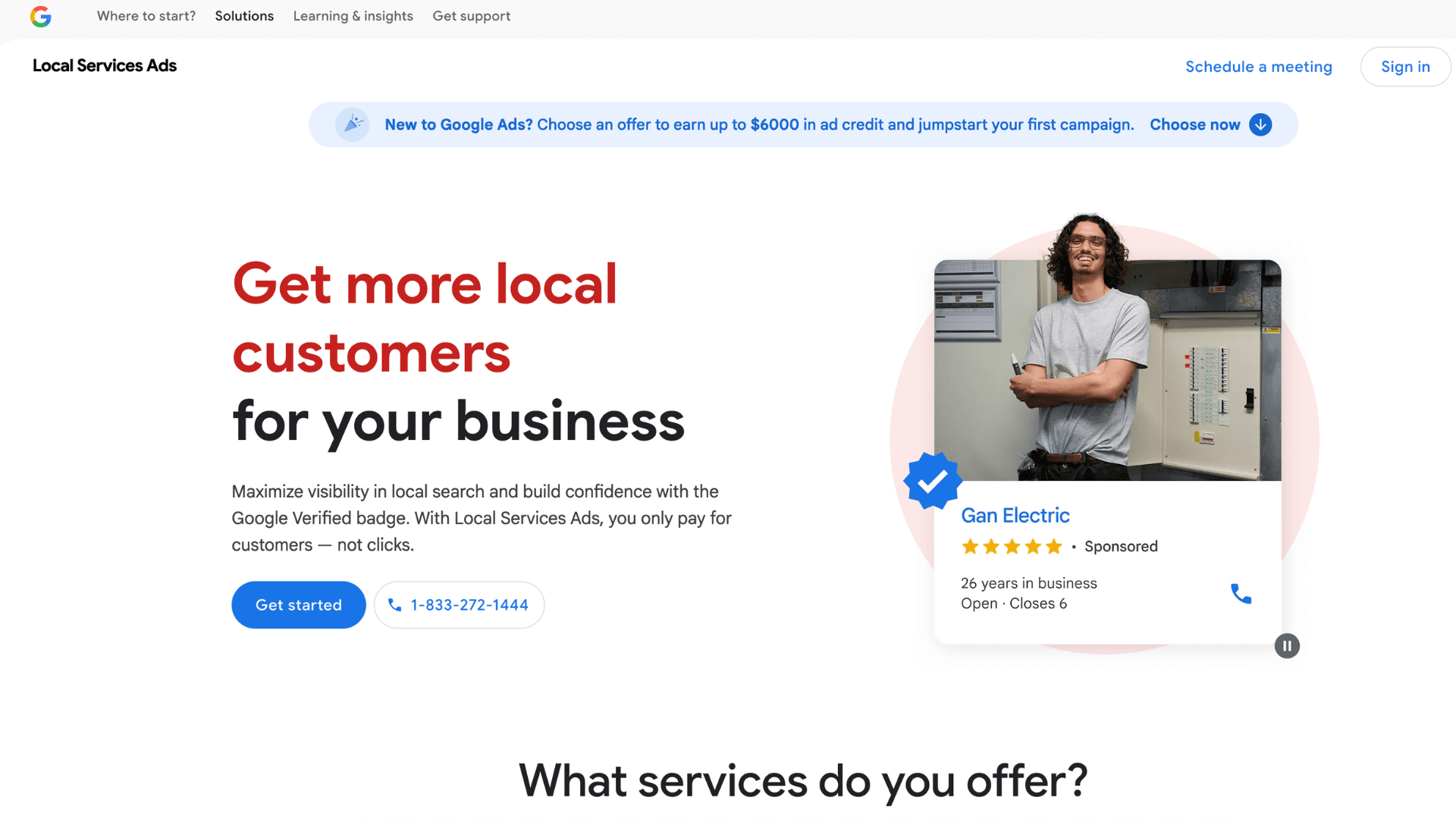
Local Services Ads, or LSAs, are Google ads that can show near the top of local service searches. Instead of paying for every click, you usually pay for leads such as calls or messages, depending on the setup and category.
- Not every business category qualifies.
- Google may require screening, license checks, insurance checks, or verification.
- Reviews and response time can affect performance.
- Review charged and credited leads, use the available feedback process, and check current rules for the account's region and category. A poor-fit inquiry isn't automatically refundable.
Which local businesses can benefit from LSAs?
For locksmiths, plumbers, HVAC companies, electricians, roofers, cleaners, and other eligible service businesses, LSAs can put you above traditional search results. That's powerful. It's also not a substitute for a real website or a sane sales process.
- They can produce calls quickly in competitive service categories.
- They rely heavily on trust signals like reviews and verification.
- They can waste budget if service areas or categories are sloppy.
- They need fast follow-up because slow response kills lead value.
What does a Local Services Ads report show?
- Lead volume by calls or messages.
- Review charged and credited leads, use the available feedback process, and check current rules for the account's region and category. A poor-fit inquiry isn't automatically refundable.
- Booking or call details when available.
- Budget pacing and lead cost.
- Profile completeness, review count, and verification status.
What should you check before paying for LSA leads?
- 01
Confirm your business category is eligible for Local Services Ads.
- 02
Review service categories and remove anything you don't actually want.
- 03
Check that your service areas match where you actually work.
- 04
Confirm license, insurance, background, or verification requirements are complete.
- 05
Review charged and credited leads, use the available feedback process, and check current rules for the account's region and category. A poor-fit inquiry isn't automatically refundable.
- 06
Check response time and missed calls so inquiries get a prompt reply.
Why might Local Services Ads bring poor leads?
- Treating LSAs like set-it-and-forget-it ads.
- Trying to run them without enough reviews.
- Letting bad categories drain the budget.
- Not training the person who answers the phone.
- Ignoring the website because the ad can produce calls. People still check you out.
How do you review LSA lead quality and follow-up?
- Clean up eligible services and service areas.
- Improve review volume and review quality.
- Track which leads became estimates, booked jobs, or wasted time.
- Tighten phone scripts and response time.
- Use the website to support trust after the first click or call.
Can you get credit for an unsuitable LSA lead?
Review charged and credited leads, use the available feedback process, and check current rules for the account's region and category. A poor-fit inquiry isn't automatically refundable.
Screenshot checklist
What should you screenshot before asking for help?
A good screenshot makes the conversation concrete. It shows whether the tool is set up, whether the numbers are useful, and where the next fix should start.
- 01Business verification and screening status.
- 02Service categories and job types.
- 03Service area map.
- 04Budget and bidding settings.
- 05Review charged and credited leads, use the available feedback process, and check current rules for the account's region and category. A poor-fit inquiry isn't automatically refundable.
- 06Review count and rating shown in the LSA unit.
Example problems
What problems might you find?
Each example shows a problem, what it might mean, and what to check.
Fast leads, wrong areas
- What happens
- The business got LSA leads, but several were outside the jobs they actually wanted.
- What it means
- LSA can create movement fast, but loose categories and areas can make the phone ring for the wrong reasons.
- The move
- Tighten services and geography, then track which leads become booked work.
Missed calls made good ads look bad
- What happens
- The account produced calls, but the owner missed them during jobsite hours.
- What it means
- LSA rewards responsiveness. Slow follow-up can turn a decent campaign into a wasted one.
- The move
- Set a real call-handling process before scaling budget.
Tasks to work through
What can you check yourself?
Work through these checks in order.
- 01
Only select categories you actually want to sell.
- 02
Keep service areas honest and profitable.
- 03
Answer fast or have someone who can.
- 04
Review charged and credited leads, use the available feedback process, and check current rules for the account's region and category. A poor-fit inquiry isn't automatically refundable.
- 05
Track booked jobs separately because Google won't know your margin.
Related guides
Related Google and website guides
Local Services Ads sit closer to reviews, responsiveness, and service fit than normal ads do.

Where should your ads send people?
- 01A relevant search
- 02A specific ad
- 03A useful landing page

What should your profile show?
- 01What you do
- 02When you're available
- 03How to reach you

How do you ask for Google reviews?
- 01Ask neutrally
- 02Welcome honest detail
- 03Respond thoughtfully
Free 30-minute call
Need help with your website or Google profile?
We’ll discuss your website, profile, or measurement questions and identify a useful next step. Thirty minutes, no commitment. Advertising guides are educational; paid campaign management isn’t an advertised service here.